
User guide · v0.1.0 · UE 5.4–5.8
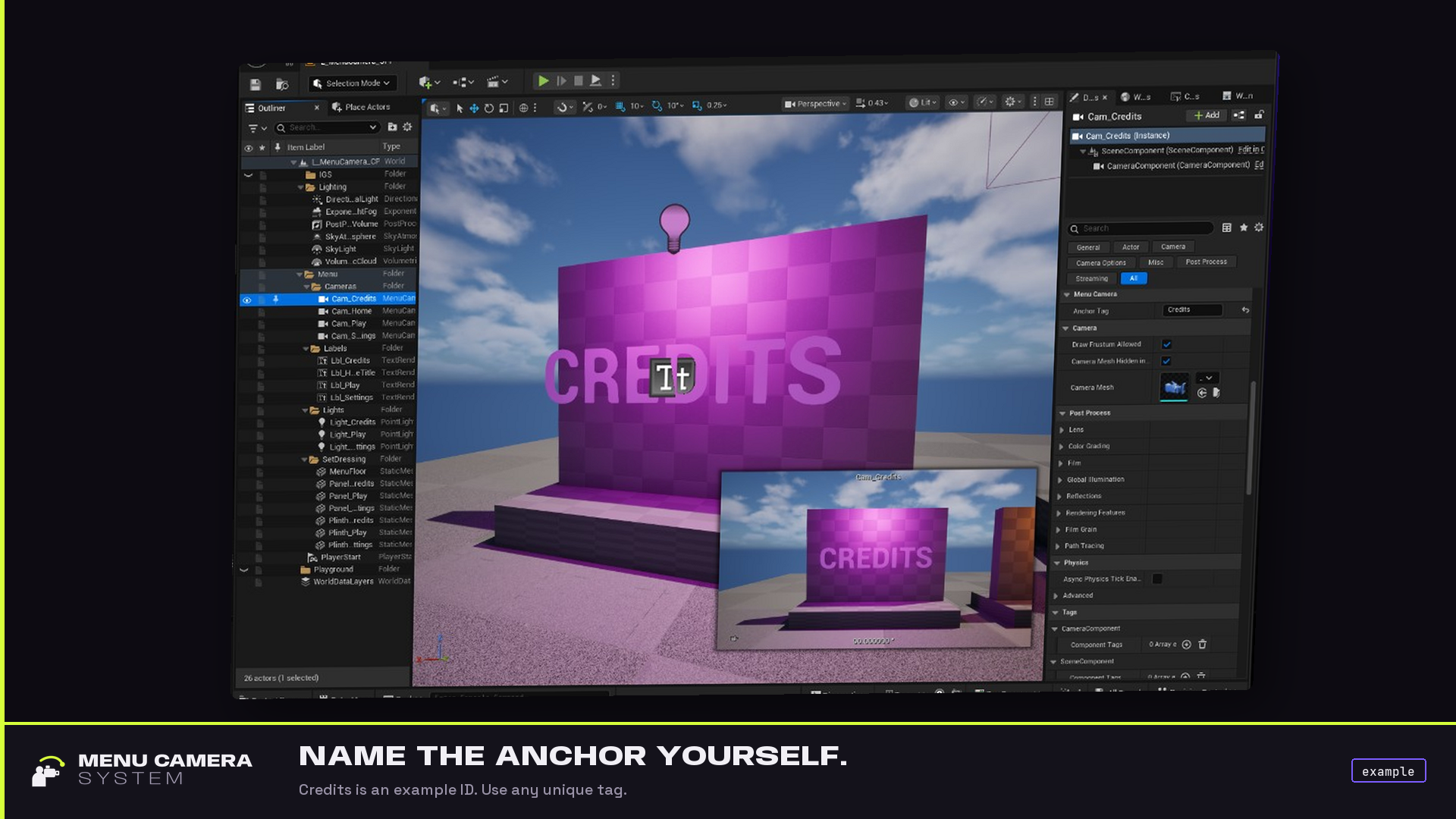
Place tagged cameras.
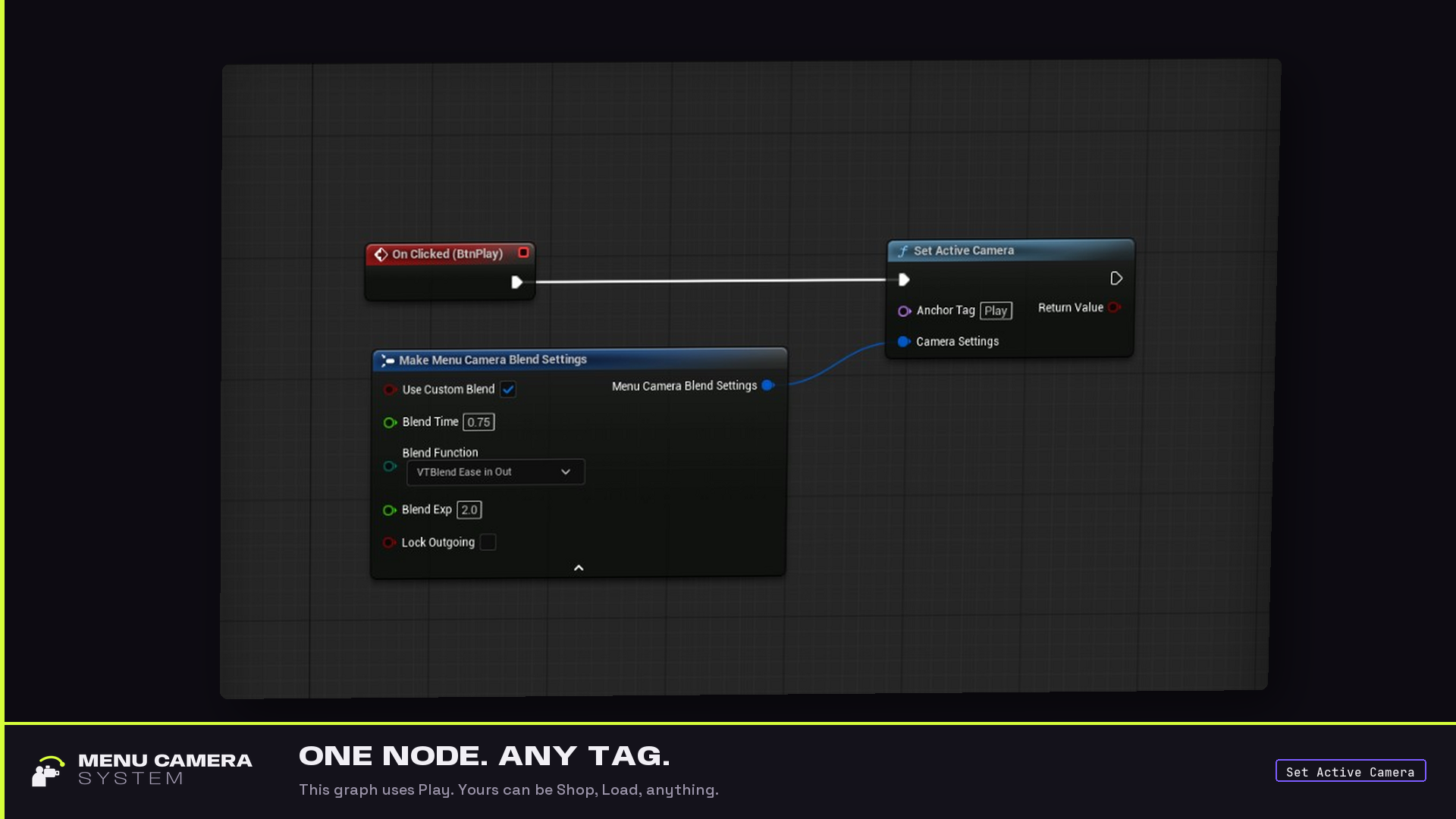
Call one node.
The view blends to that shot. The pawn stays put. Play / Settings / Credits in the pictures are example tags — any button can hop to any AnchorTag you define.
Quick start
Copy the plugin into Plugins/MenuCameraSystem (or enable it from Fab), restart, enable Menu Camera System if the editor asks. No extra marketplace plugins.
Names below (Home, Shop, Load) are examples. Use whatever fits your menu.
- Place anchors. Place Actors → Menu Camera Anchor. One per station. Set Anchor Tag on each. Tags must be unique.
- Aim. Rotate the actor. Set FOV and post-process on the camera component like any Camera Actor.
- Title shot. On the camera that should greet the player, enable Camera Actor Auto Activate for Player (Player 0). There is no extra “default anchor” flag.
- Hop. From widget OnClicked, a key, or C++: Set Active Camera → your tag. Leave Camera Settings defaulted to use Project Settings.
- Back. Call Set Active Camera with your home tag. That is back.
That’s the product: place cameras, tag them, one node. Your widgets call us — this plugin does not depend on UMG.
Blueprint
Category Menu Camera. Node Set Active Camera.
| Pin | What it is |
|---|---|
Anchor Tag | FName of the live Menu Camera Anchor to look through. |
Camera Settings | Optional. Default = Project Settings. Turn on Use Custom Blend to override the whole blend on this call. |
Return Value | Success. True only if a unique live anchor was found and the blend was issued. |
Leave Camera Settings collapsed for the project-default hop.
- Cut: Make Menu Camera Blend Settings → Use Custom Blend → Blend Time
0. - One slower hop: Use Custom Blend and set time / function / exp / lock outgoing together. No per-field overrides.
Branch on Success. A failed call does not change the view.
C++
#include "MenuCameraBPLibrary.h"
#include "MenuCameraTypes.h"

FMenuCameraBlendSettings Settings; // Project Settings
const bool bOk = UMenuCameraBPLibrary::SetActiveCamera(
    this, FName(TEXT("Shop")), Settings);
Cut:
FMenuCameraBlendSettings Cut;
Cut.bUseCustomBlend = true;
Cut.BlendTime = 0.f;
UMenuCameraBPLibrary::SetActiveCamera(this, FName(TEXT("Load")), Cut);
this needs a world (Actor, Component, …). The Blueprint library is the supported surface. You can call UMenuCameraSubsystem on the world; most projects should not.
Project Settings
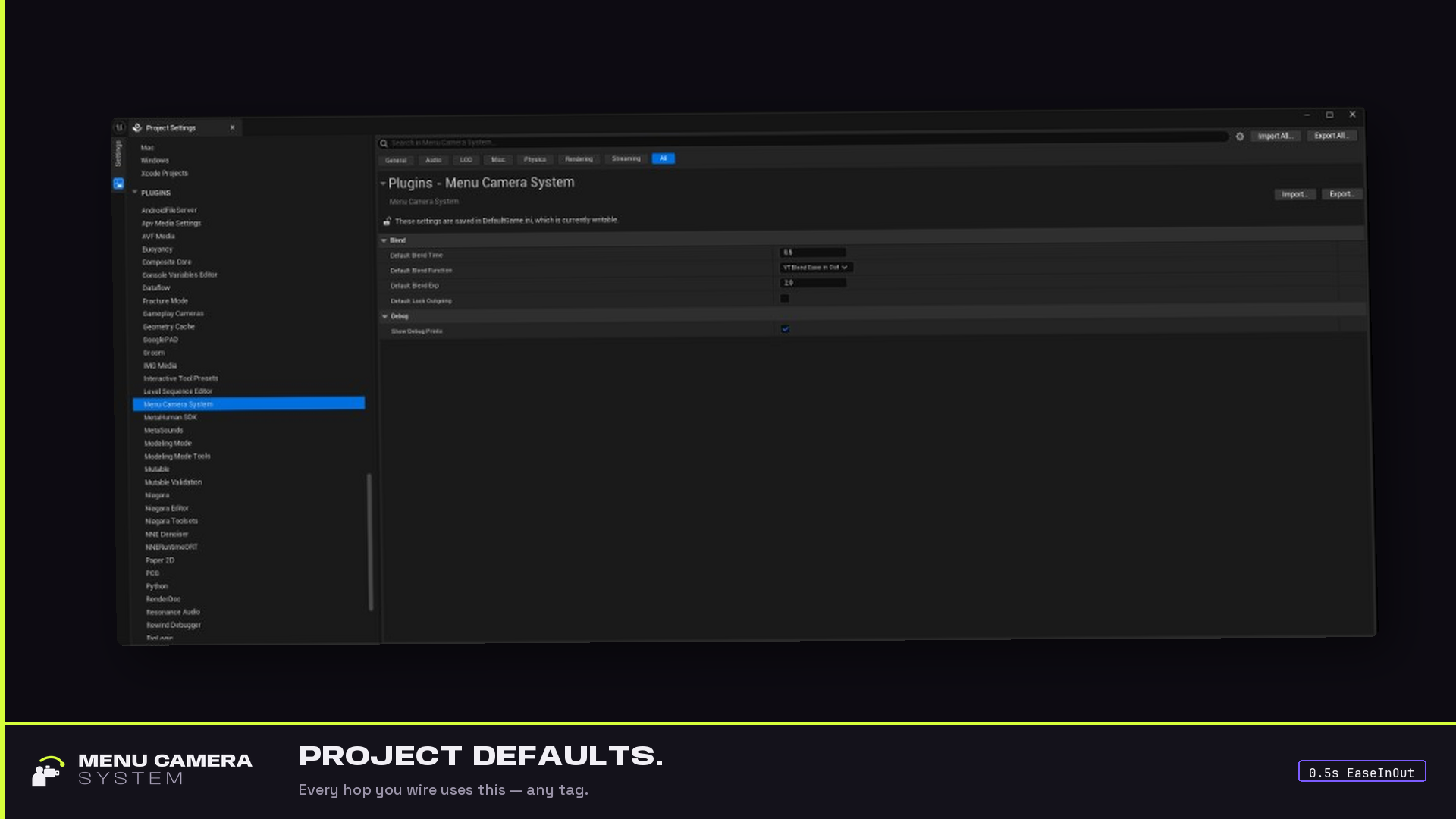
Edit → Project Settings → Plugins → Menu Camera System. Saved in DefaultGame.ini.
| Setting | Default | Notes |
|---|---|---|
| Default Blend Time | 0.5 | Seconds. 0 is a cut. |
| Default Blend Function | Ease In Out | Same enum as SetViewTargetWithBlend. |
| Default Blend Exp | 2.0 | Passed through. |
| Default Lock Outgoing | off | bLockOutgoing on the blend. |
| Show Debug Prints | on | On-screen failures. Shipping never prints. |
If Use Custom Blend is true, that struct wins. Otherwise these defaults.
How lookup works
Only Menu Camera Anchor actors register. Loose Camera Actors and Unreal actor tags are ignored.
- Empty Anchor Tag on an actor → not registered, logged.
- Missing tag on Set Active Camera → fail, view unchanged.
- Two or more live anchors with the same tag → fail. We do not pick a winner.
- Success needs exactly one live actor for that tag.
Log category: LogMenuCameraSystem. Errors on failure. Quiet on success.
Under the hood the hop is Player 0’s APlayerController::SetViewTargetWithBlend. Pawn transform is not touched.
Troubleshooting
Fail-closed. A bad tag never guesses. On-screen text uses the fail colour in PIE when Show Debug Prints is on.
| You see | Meaning | What to do |
|---|---|---|
AnchorTag is empty |
The node got None | Pass a name |
no Menu Camera Anchor registered for 'X' |
No live actor with that tag | Place one, set Anchor Tag, PIE after BeginPlay |
AnchorTag 'X' is not unique |
Duplicates | Rename or delete until one remains |
no Player 0 PlayerCameraManager |
No local player 0 | Menu maps need a Player 0 controller |
MenuCameraSubsystem is missing |
Plugin not loaded / no world | Enable the plugin; call from a world context |
| View hops but the character slides | You possessed or moved the pawn | Don’t. This plugin only changes view target |
| Map opens on the pawn camera | Title anchor isn’t auto-activated | Enable Auto Activate for Player on that Camera Actor |
What v1 does not do
- Restore / cache the previous view target (pause-menu “back to gameplay”).
- Splitscreen or Player 1+.
- CineCamera filmbacks, Sequencer, a sample map.
- Gameplay Tags or Unreal actor tags as IDs.
- Per-call FOV — FOV lives on the camera actor.
Main-menu “back” is Set Active Camera to your home tag.